Know when you’re connected
Green flowing artwork and a matching connection row show when the VPN tunnel is established.
A free OpenVPN client for Mac that makes the everyday feel effortless. Bring your profiles, give them names you remember, and see your connection at a glance.
Free for life.
Apple silicon · Your own VPN profiles · No in-app analytics
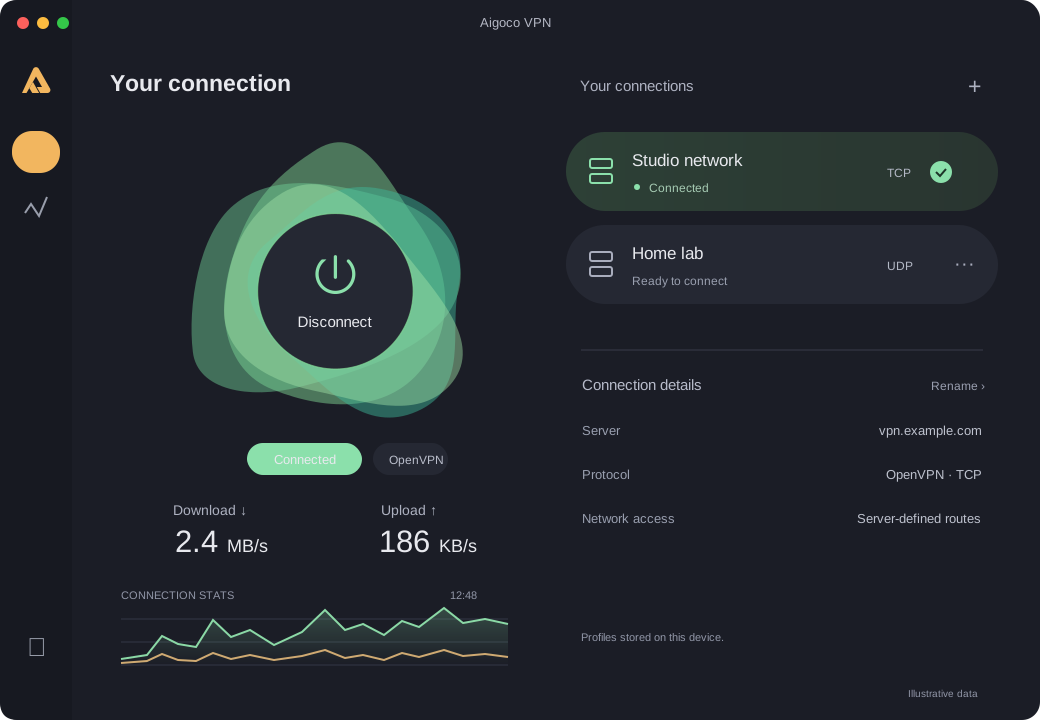
Everything you need to manage an existing VPN connection, in one calm workspace.
Green flowing artwork and a matching connection row show when the VPN tunnel is established.
Live upload and download rates, a 60-second traffic graph, transferred totals and session duration.
Import an .ovpn profile and rename it for your team, office or project. Keep your connections easy to find.
Light, dark or system appearance. Choose flowing artwork, still artwork or your system’s motion preference.
Close the window and keep the VPN running. Reopen it from the menu bar, or choose Quit to exit.
Profiles and saved credentials stay on your device. The app has no advertising or usage analytics.
Aigoco VPN is a client for the VPN service you already use. Get a compatible OpenVPN profile from your organization, server administrator or provider.
It does not include servers, country switching or a VPN subscription. Your profile determines whether the tunnel carries all traffic or only selected routes.
Switching from OpenVPN Connect? Read the guide →Yes. The Aigoco VPN client is free for life, with no app subscription. Bring a compatible OpenVPN profile from your organization or VPN provider; their service may have its own fees.
Yes, for supported routed TUN profiles using UDP or TCP. Import an .ovpn file with embedded certificates and keys. Certificate and username/password authentication are supported. See profile compatibility for the current limits.
Green means the VPN tunnel is connected. The routes provided by your VPN server decide which traffic uses it. The app shows that routing scope; it does not provide a kill switch.
The website download is available for Apple silicon Macs. Windows and Mac App Store editions are planned and are not available yet. Check the download page for current availability.
No. Aigoco VPN does not include Google Analytics, advertising or an analytics SDK. The AIGOCO website has its own separate privacy policy. Read the app privacy policy.